
SASSA SRD Grant Reapplication Guide
Dealing with a declined SASSA SRD grant or a sudden stop in payments is incredibly frustrating, especially when you are counting on that money to cover your basic needs. It’s exhausting to wait for help only to find out that your status is still stuck or “pending” without a clear explanation. We understand how stressful this uncertainty is for you and your family during such a difficult time.
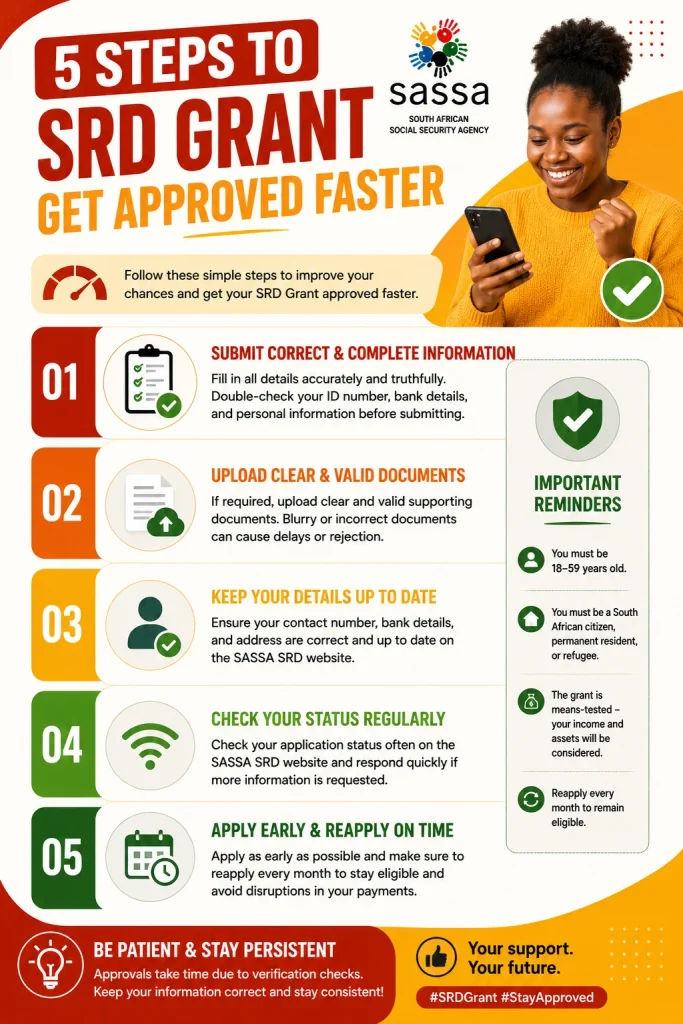
The SASSA SRD Grant Reapplication process helps you submit your details again through the official system. You can complete the reapplication online by following the correct steps and updating your information carefully. We explain the process in a simple way so you can avoid mistakes that may delay approval or payments. We explain the complete SASSA SRD Grant Reapplication process. You will also learn about the requirements, rejection reasons, and status-checking process.
Overview of the SASSA SRD Grant Reapplication
The reapplication process is a mandatory step for anyone whose previous grant period has ended or whose circumstances have changed. SASSA uses this system to verify that only people who truly qualify continue to receive the R370 monthly payment. We see this as a digital check-in that keeps the system fair and updated for all South African citizens. When you start your reapplication, you are essentially asking the government to review your current financial status once again.
Requirements for SASSA SRD Reapplication
Before the process starts, there are some necessary things that you need to collect to help your application pass the process easily. Following these requirements strictly is the best way to prove your eligibility.
- Valid South African ID: You must have a 13-digit barcoded ID number or a smart ID card to verify your identity.
- Registered Mobile Number: You need a cell phone number that is registered in your name to receive the OTP verification codes.
- Banking Details: Provide an active bank account in your name where the R370 funds can be deposited safely.
- Income Status: You must be unemployed and not receiving any other government social grants or NSFAS stipends.
How to Reapply for SASSA SRD Grant Online?
The official website will be the best source through which you can give your information and monitor your progress. We recommend that you use a secure internet connection in order to avoid losing your progress as you fill in the online forms.
- Access the Official SRD Portal
Visit the official SASSA SRD website and go down to the section marked “Reapply.” You should type in your ID number followed by the phone number that was used when applying for the benefit.
- Verify Your Mobile Number
The unique 6-digit number will be sent to your phone number through an SMS message. You need to enter the same number on the screen. This makes sure that the owner of the account is really you and keeps your information secure.
- Update Personal Information
You must confirm your name, address, and employment status, ensuring there are no changes. It is important for you to check all spellings since one wrong spelling can delay the processing of your application.
- Submit and Save Reference
After you finish with each section, click the ‘submit’ button and wait for the confirmation message to appear. It is advised to take a screenshot of your reference number for future tracking of your application process.
How to Reapply via WhatsApp and Moya App?
If you do not have a computer, you can easily use your smartphone to finish your reapplication through popular apps. These methods are very mobile-friendly and allow you to submit your info while you are on the go.
- WhatsApp Method: Save the official SASSA number (082 046 8553) and send a message saying “Hi” to start the automated chat.
- Follow Chat Prompts: The bot will ask for your ID number and then guide you through the reapplication steps one by one.
- Moya App Access: Open the Moya App, find the “SASSA Grant” icon under the services section, and tap on it.
- Data-Free Submission: Use the Moya App to fill out your forms without using your own mobile data, which saves you money.
How to Check Your Reapplication Status?
After submitting your application, you must keep checking your status to be aware whether your application has been accepted, rejected, or its still being processed.
- Official SASSA SRD status check page
- Enter your ID number
- Provide your registered mobile number
- Click the status-check option
- Review your application result
Final Word
We understand that dealing with the government can be challenging, but using this guide will ensure that your process of reapplying for SASSA SRD becomes significantly simpler. Keeping yourself organized and reviewing your information will make sure that everything is sorted out without any problems at all.