SASSA eKyc Verification Link
Waiting for your grant approval to find your profile stuck on a security check can be a very frustrating experience. Many applicants run into these challenges because they do not know how to clear the facial recognition steps, which leaves their funds entirely out of reach.
That is why the SASSA identity verification process is important for solving these stressful issues. As we all know, SASSA uses a quick digital face scan to confirm that you are the real person receiving the monthly grant payment.
By matching your live face with the official records, the system can effectively stop identity theft and fraud before it impacts your wallet. We understand how hard it feels to navigate these online platforms when you are just trying to get your money.
To make the SASSA verification process easier for you, we have created a simple guide that helps you complete every step without confusion.
Why SASSA Identity Verification Is Important?
Understanding why the government requires the check helps to make the identity process worth your time. Scammers frequently try to trick the system by using stolen details, which leaves honest citizens without their money. When you complete the verification, you lock down your profile so no one else can move your cash into a different bank account. SASSA may temporarily stop payments if it detects sudden changes to your phone number.
How to Complete SASSA Identity Verification Online?
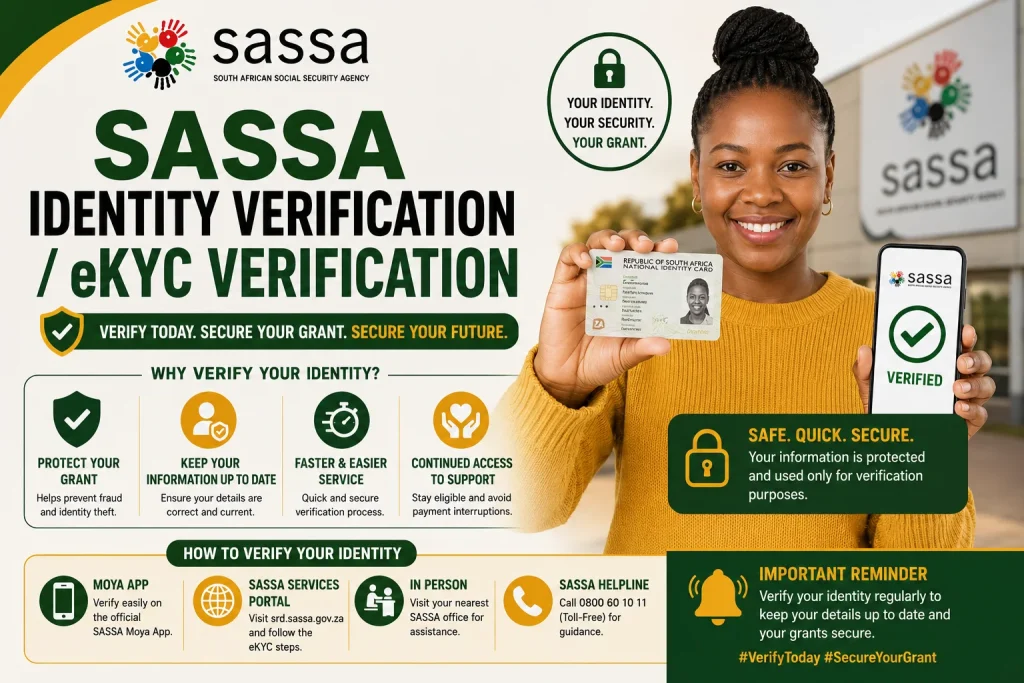
Once you realize the importance of this step in protecting your money, it will be easy for you to visit the portal and begin. The good thing is that you will not have to waste many hours visiting the actual offices since everything is done right from your phone’s browser. With a few clicks, you can go through the process smoothly and even pass the facial recognition test.
- Access the portal link: Open the secure link sent to your phone via text message or visit the official SASSA website.
- Enter your details: You only need your ID number and the same mobile phone number used during the original application.
- Request your security code: Enter your details to receive a one-time security PIN code sent to your phone.
- Confirm your session: Type that PIN into the screen to confirm your identity and log in.
- Prepare the camera scan: Allow the site access to your camera, and hold your eye level.
- Complete the facial capture: Keep your head still in a well-lit environment and follow the instructions until you pass the test.
Common SASSA Identity Verification Errors & How to Fix Them
Even when you follow the online steps perfectly, technical bugs can occasionally slow down your progress. These system interruptions happen due to poor lighting, weak internet connections, or minor mismatches with official database records. There is no need to panic if an error screen pops up, as you can easily fix most of these common issues on your own.
- Failed facial scans: Move into a brighter room to remove dark shadows and wipe your camera lens clean.
- Mismatched detail alerts: Double-check your spelling to confirm your input matches your ID book or smart card perfectly.
- Delayed verification codes: Restart your cell phone or move to a spot with a stronger network signal.
- Expired session links: Request a brand-new link from the portal since these security connections expire quickly.
- System timeout messages: Refresh the page or try again during quieter evening hours when the website has less traffic.
What Happens If You Don’t Complete SASSA Identity Verification?
SASSA enforces strict deadlines for these identity checks to keep the grant system honest and fair. If you choose to ignore the verification notices, they will eventually have to stop your monthly payouts.
- The system automatically freezes your upcoming monthly payments until you prove your identity.
- Your application faces permanent cancellation if the security flags remain unresolved for over 90 days.
- Restoring a cancelled account requires a formal appeal process, which takes months to fix.
- You risk losing the money owed to you for the specific period that your account was blocked.
Final Word
Taking control of your digital security helps ensure that your monthly payments arrive without any interruptions. It is important that you conduct the facial scan at the earliest as soon as you get the message. Moreover, we would like to inform you not to use any special characters while entering your personal details in the text fields. As soon as the portal processes your data, your status updates so that your money flows safely back into your hands.